Tilebird

Tilebird.: sentence practice for young readers on iPhone and iPad

Short sentence lessons for young readers on iPhone and iPad. Children tap word tiles to build a sentence, and Tilebird shows what fits and what to change.

Try an activity

Coming soon to the App Store

  • Lesson 1 is free
  • 16 short lessons
  • No ads, accounts or tracking
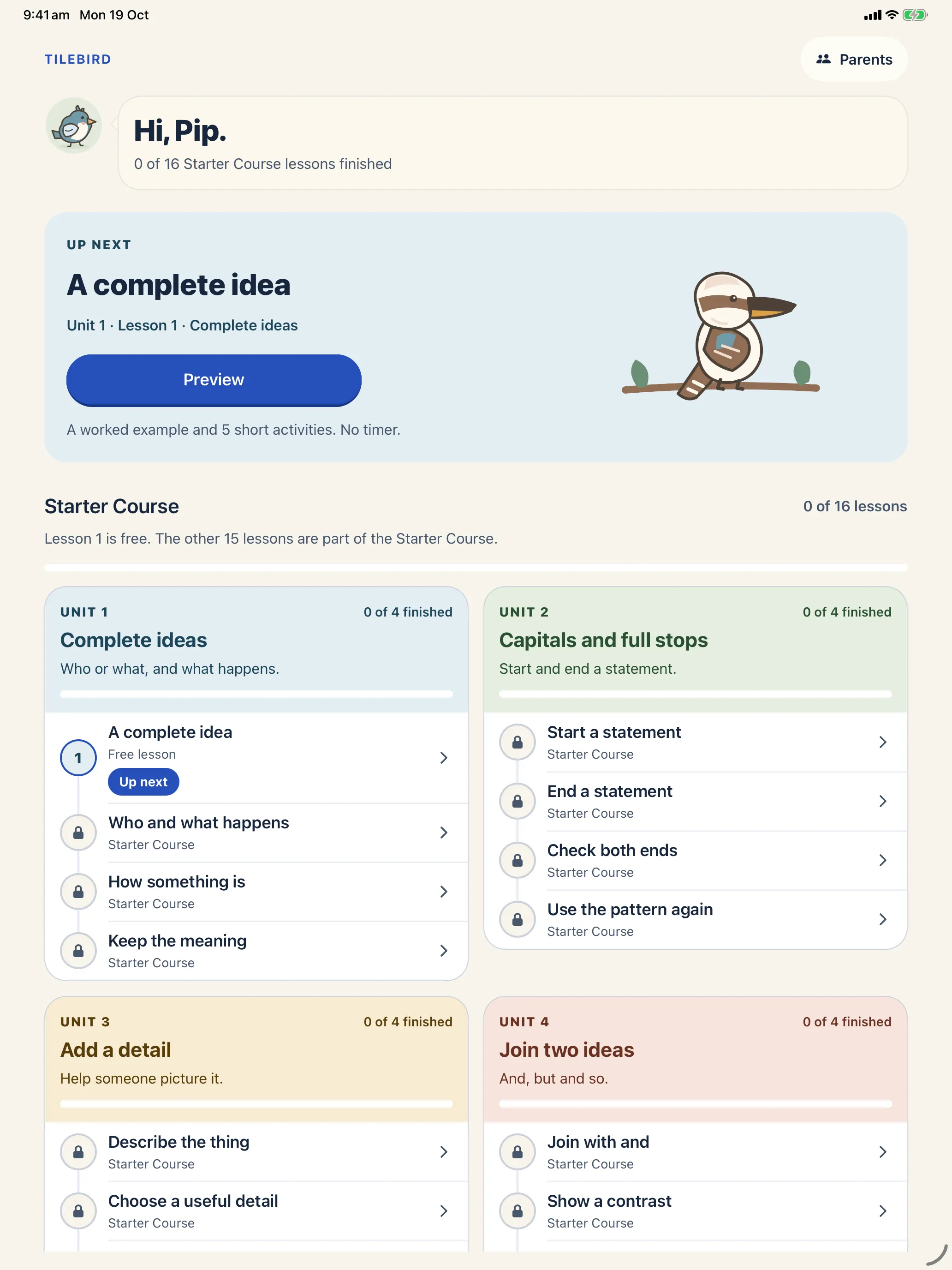
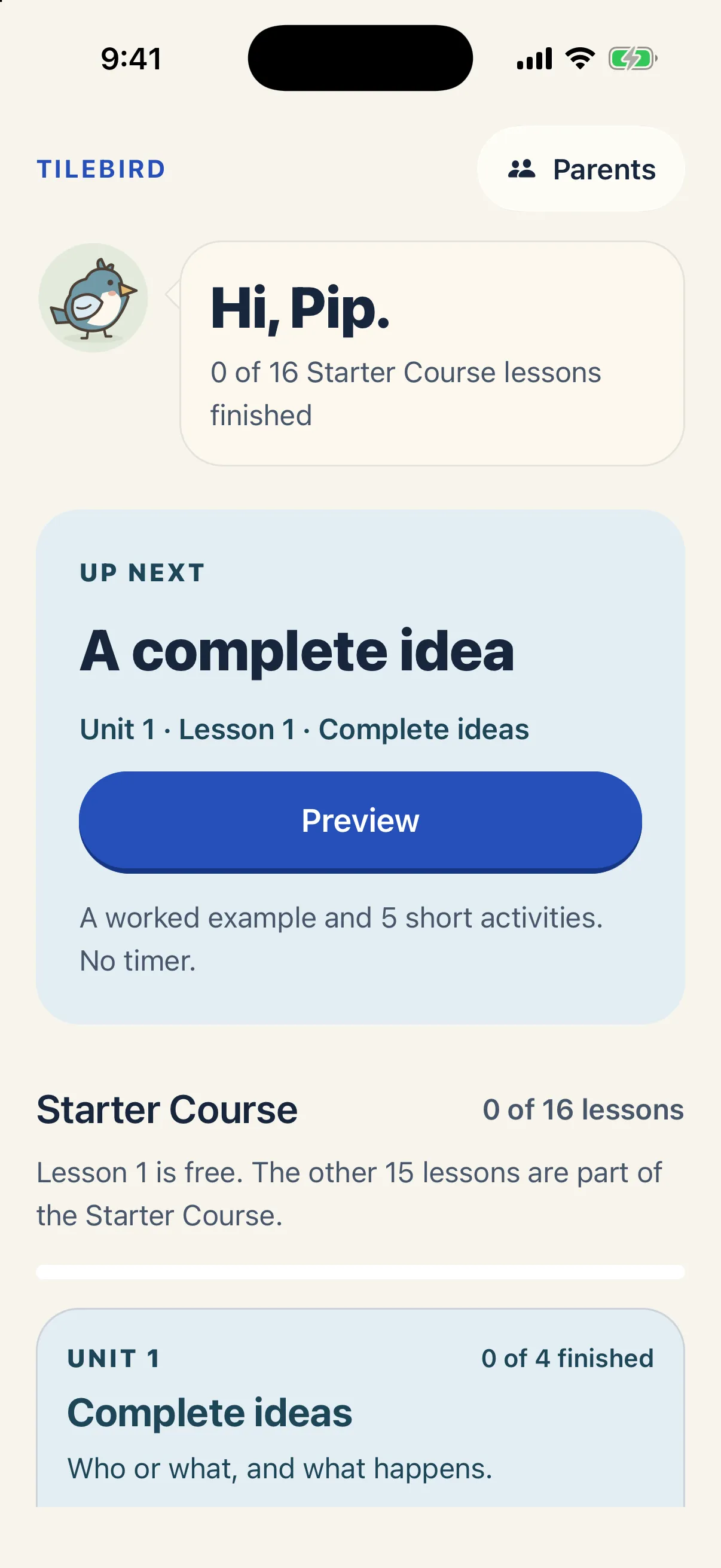
Tilebird home screen for a learner called Pip, with A complete idea up next: a worked example and 5 short activities, no timer.

Tap the tiles.
Build the sentence.

In Lesson 1 the tiles are the emu and runs. Put them in order, check, and Tilebird says why it works.

  1. the emu
  2. runs

Your sentenceThe emu runs.

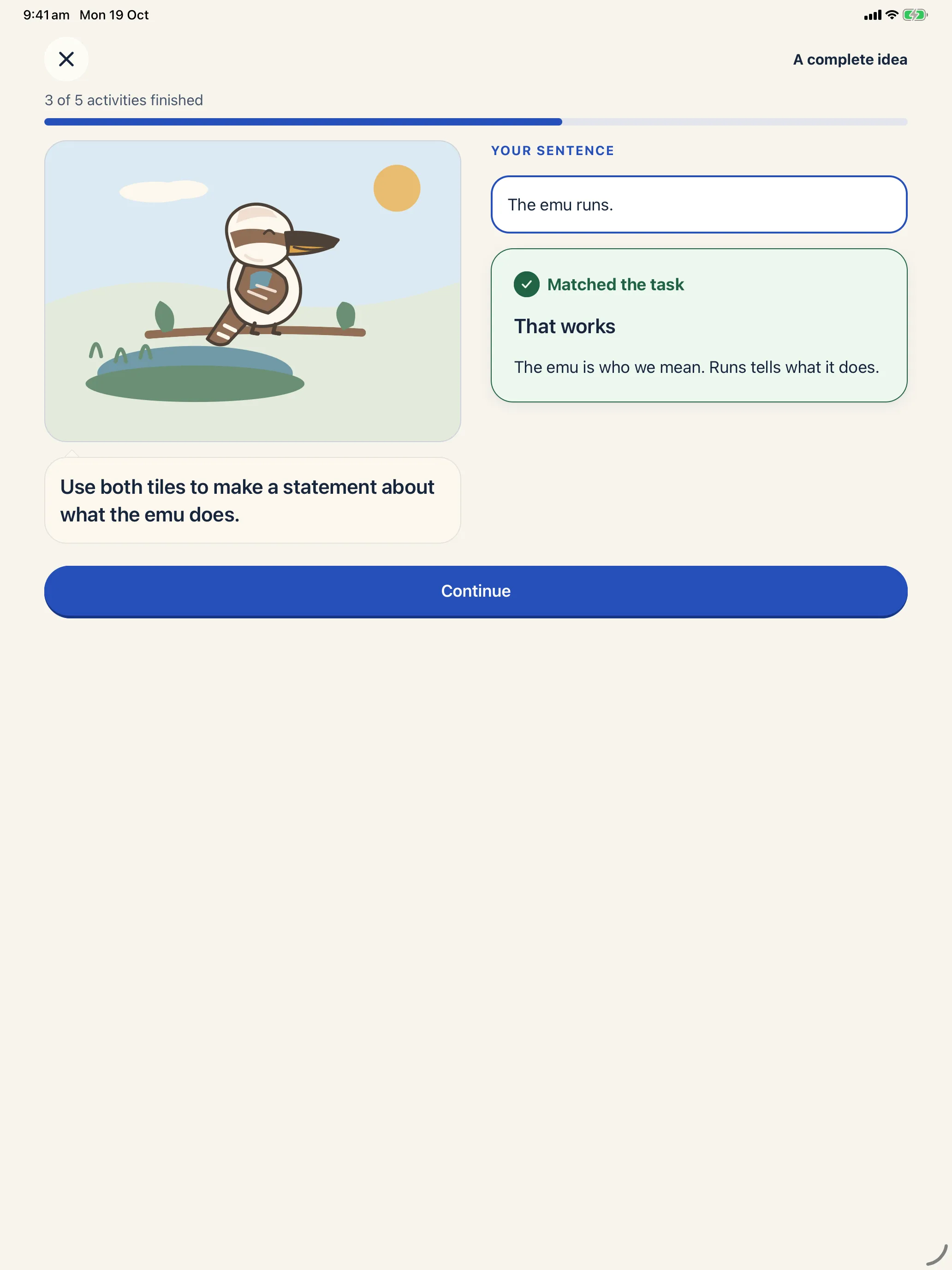
Matched the task

That works

The emu is who we mean. Runs tells what it does.

  1. Kind feedback.

    When a sentence works, Tilebird says why: “Matched the task. That works.” When it needs another look, the heading says “Needs a change”. There’s no red cross, no shake, and the words stay where the child put them.
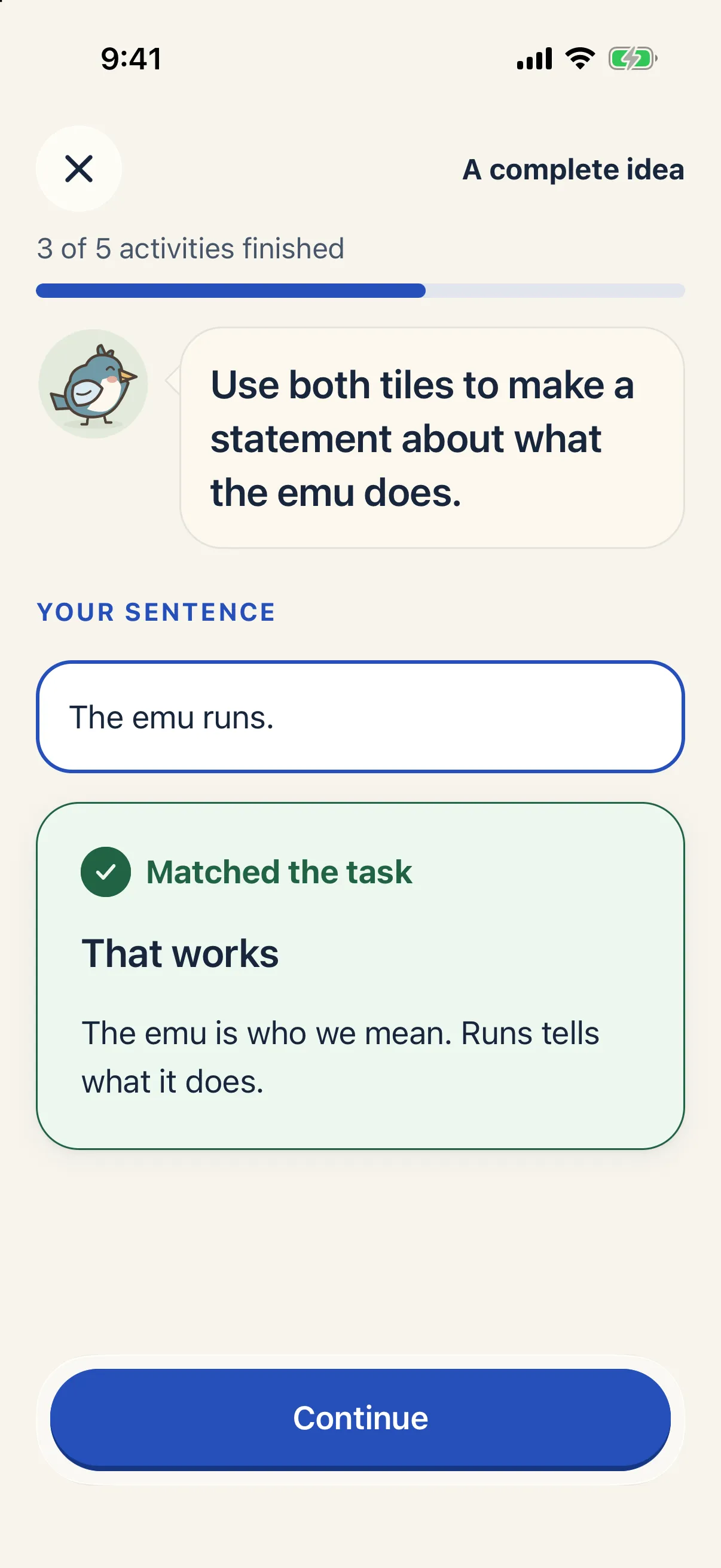
    Feedback after checking The emu runs: Matched the task. That works. The emu is who we mean. Runs tells what it does.
  2. Hints when stuck.

    A hint points to the part worth looking at, and the child’s words stay put. After two hints, or two answers that need a change, Tilebird offers an example sentence to learn from.
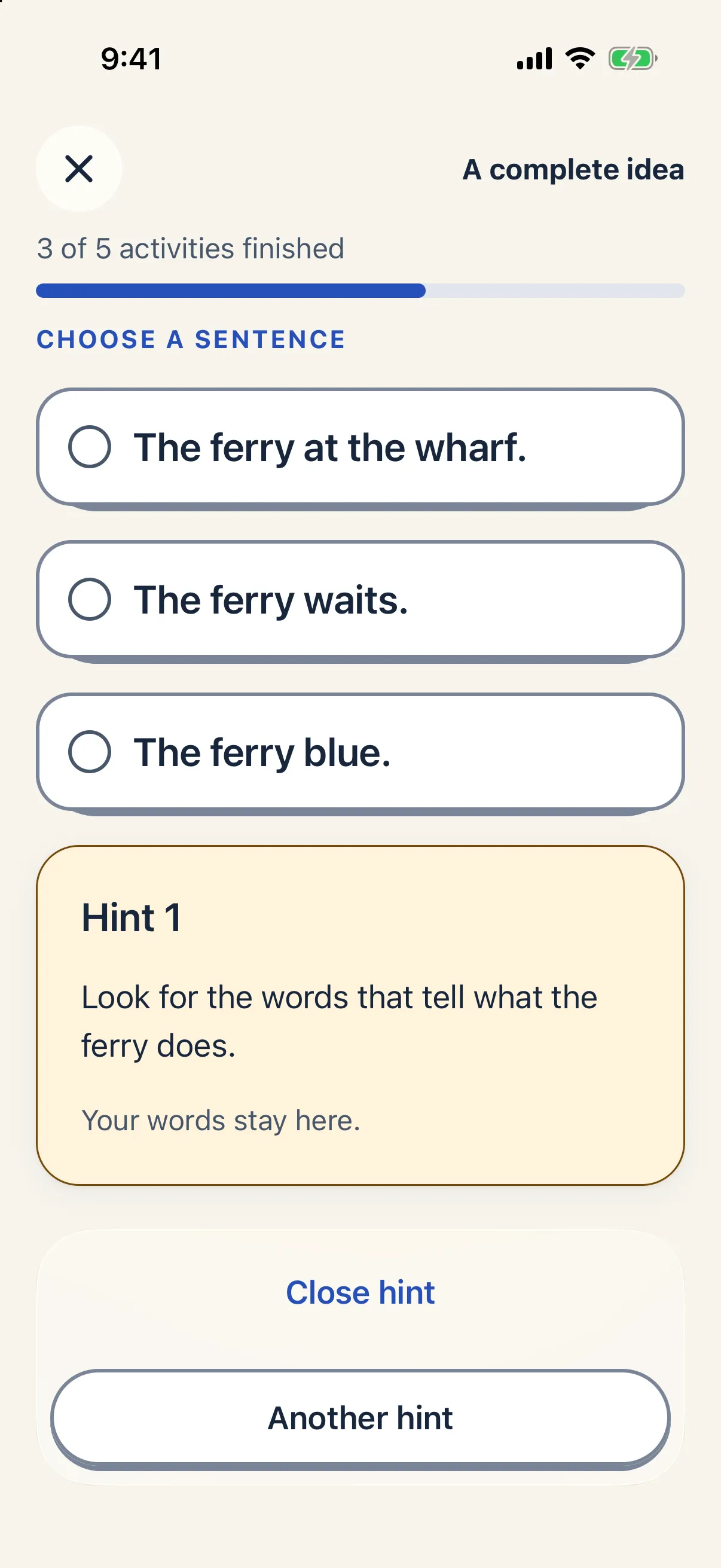
    Choosing a sentence about the ferry with Hint 1 open: look for the words that tell what the ferry does. Your words stay here.
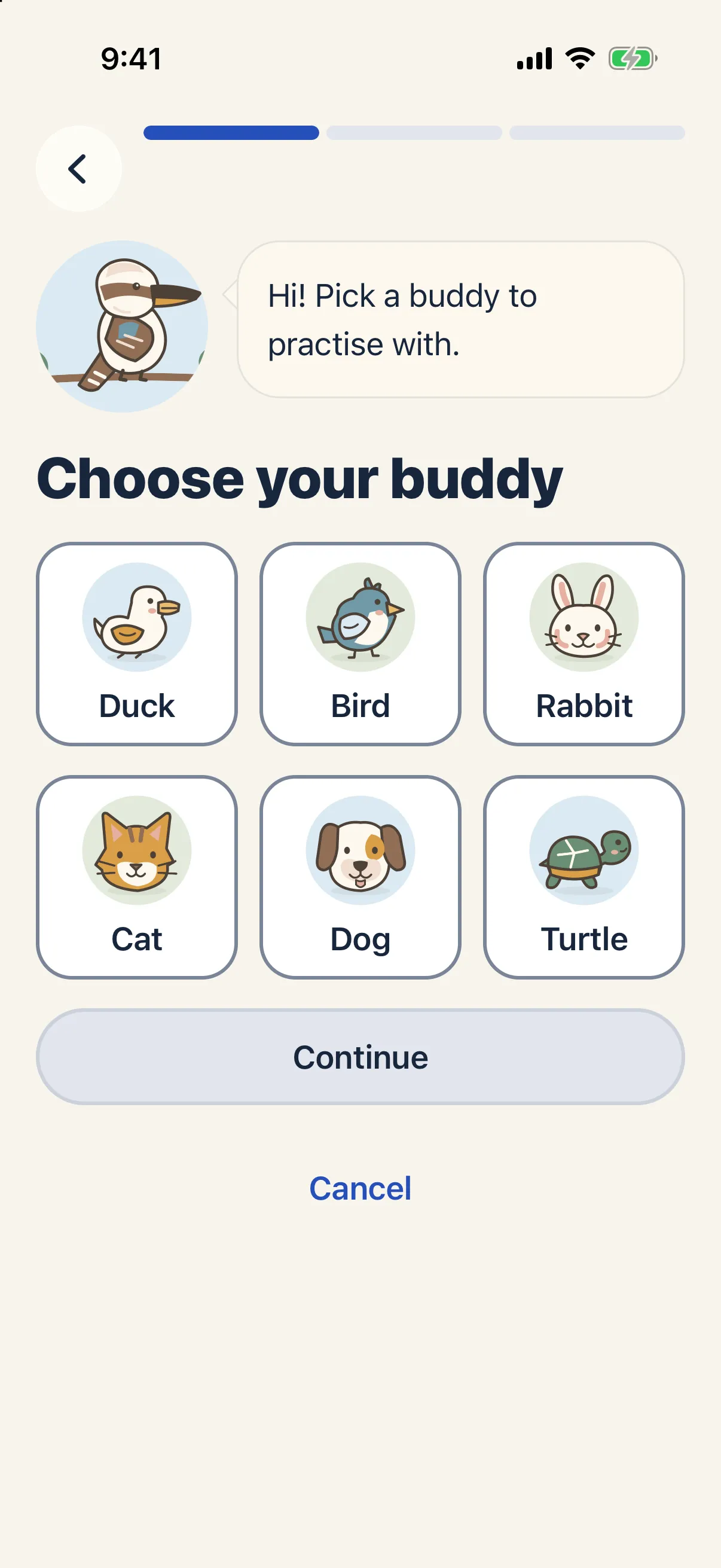
  3. Six buddies.

    Each learner picks a buddy to practise with, and a kookaburra guides the lessons. Up to six learners can share one iPhone or iPad, each with their own buddy and their own practice.
    • Duck
    • Bird
    • Rabbit
    • Cat
    • Dog
    • Turtle
    The kookaburra says: Hi! Pick a buddy to practise with. Choose your buddy from Duck, Bird, Rabbit, Cat, Dog and Turtle.
  4. Grown-ups only.

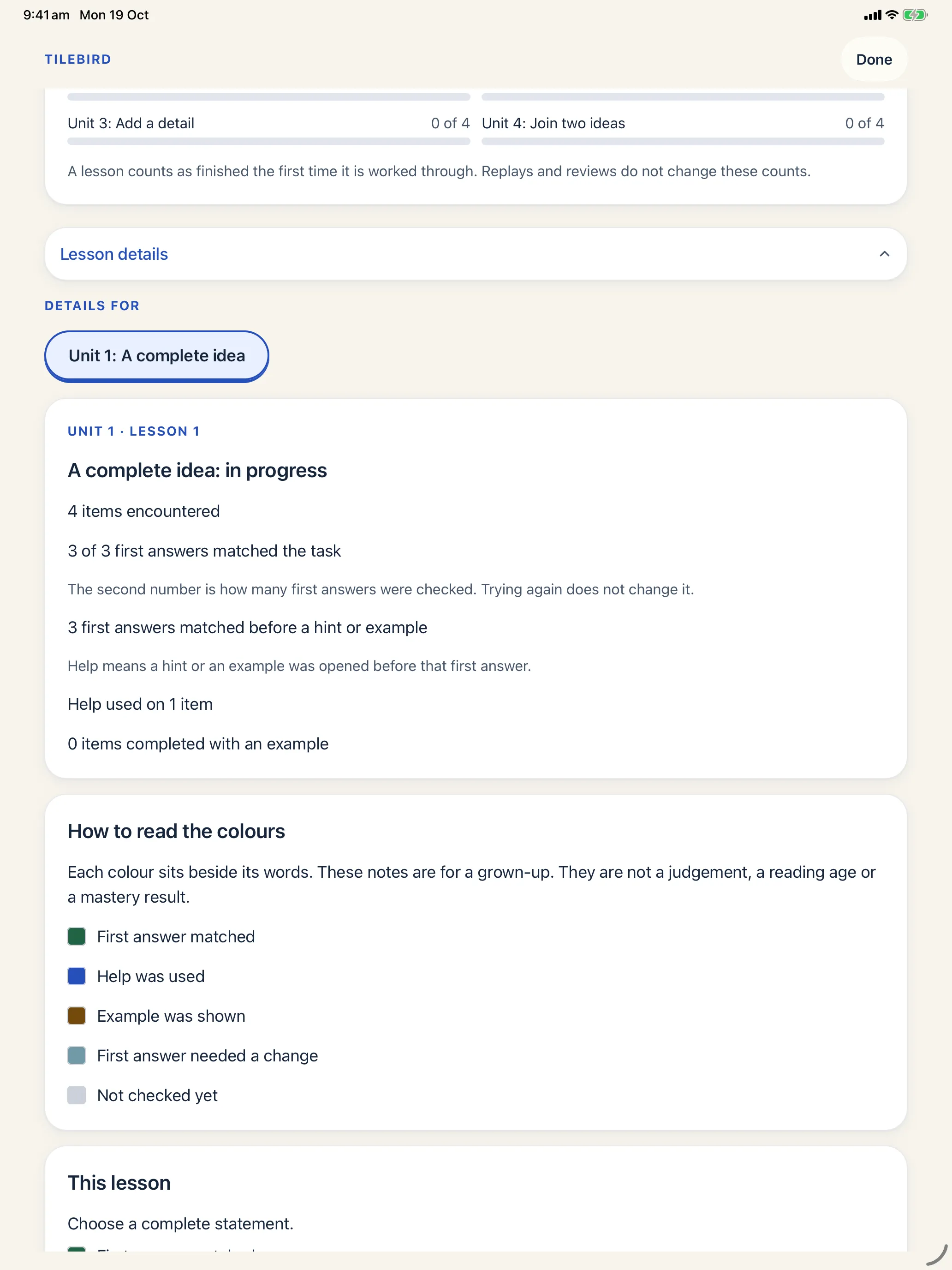
    Parents opens with a six-digit PIN, set after a grown-up works out a maths question. It shows what each learner has practised and how much help they used. Those are counts of practice, not test scores, a reading age or a mastery level.

    Sound and vibration can be turned off here, and recording stays off until a grown-up turns it on here.
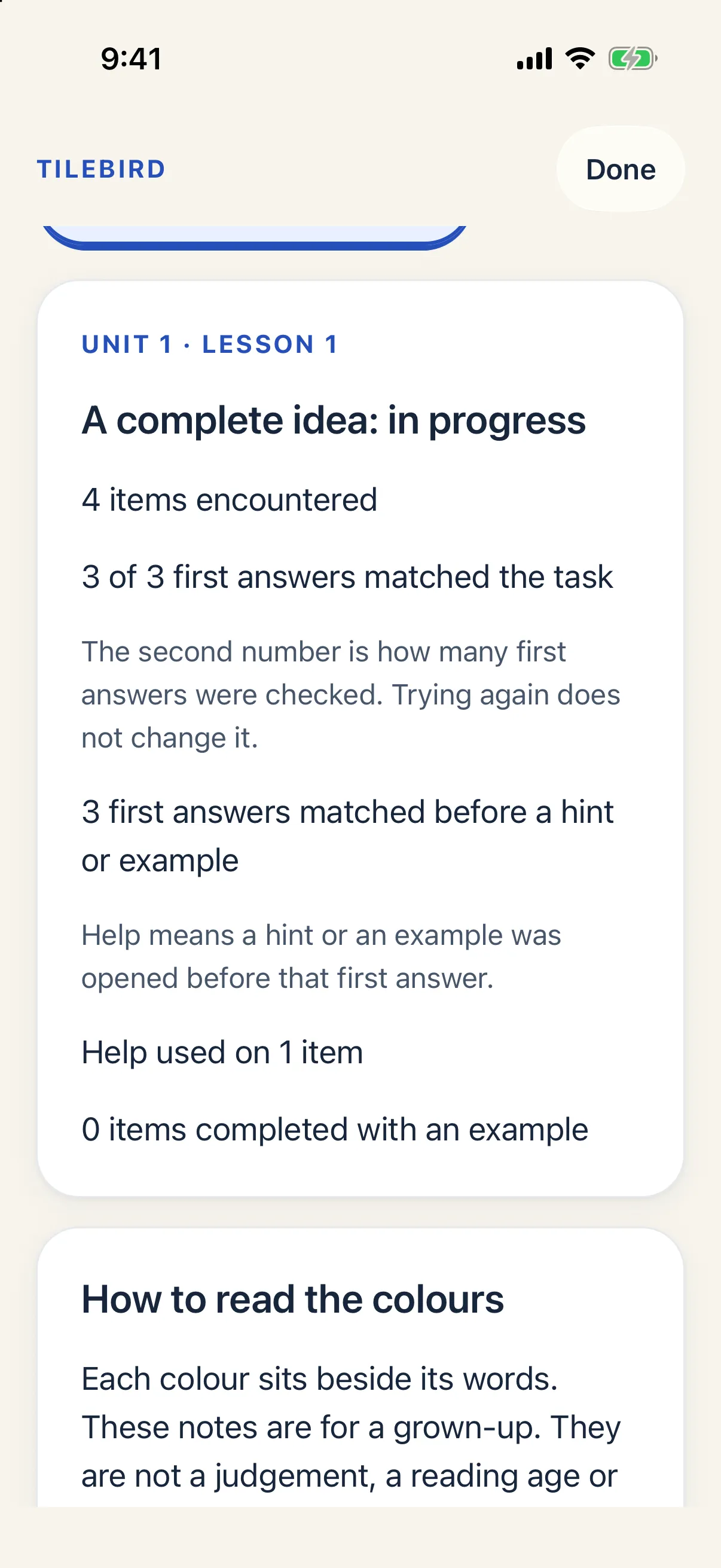
    Parents, showing Unit 1 Lesson 1 for a learner: counts of items encountered, first answers that matched the task, and help used.
Feedback after checking The emu runs: Matched the task. That works. The emu is who we mean. Runs tells what it does.

Try an activity.

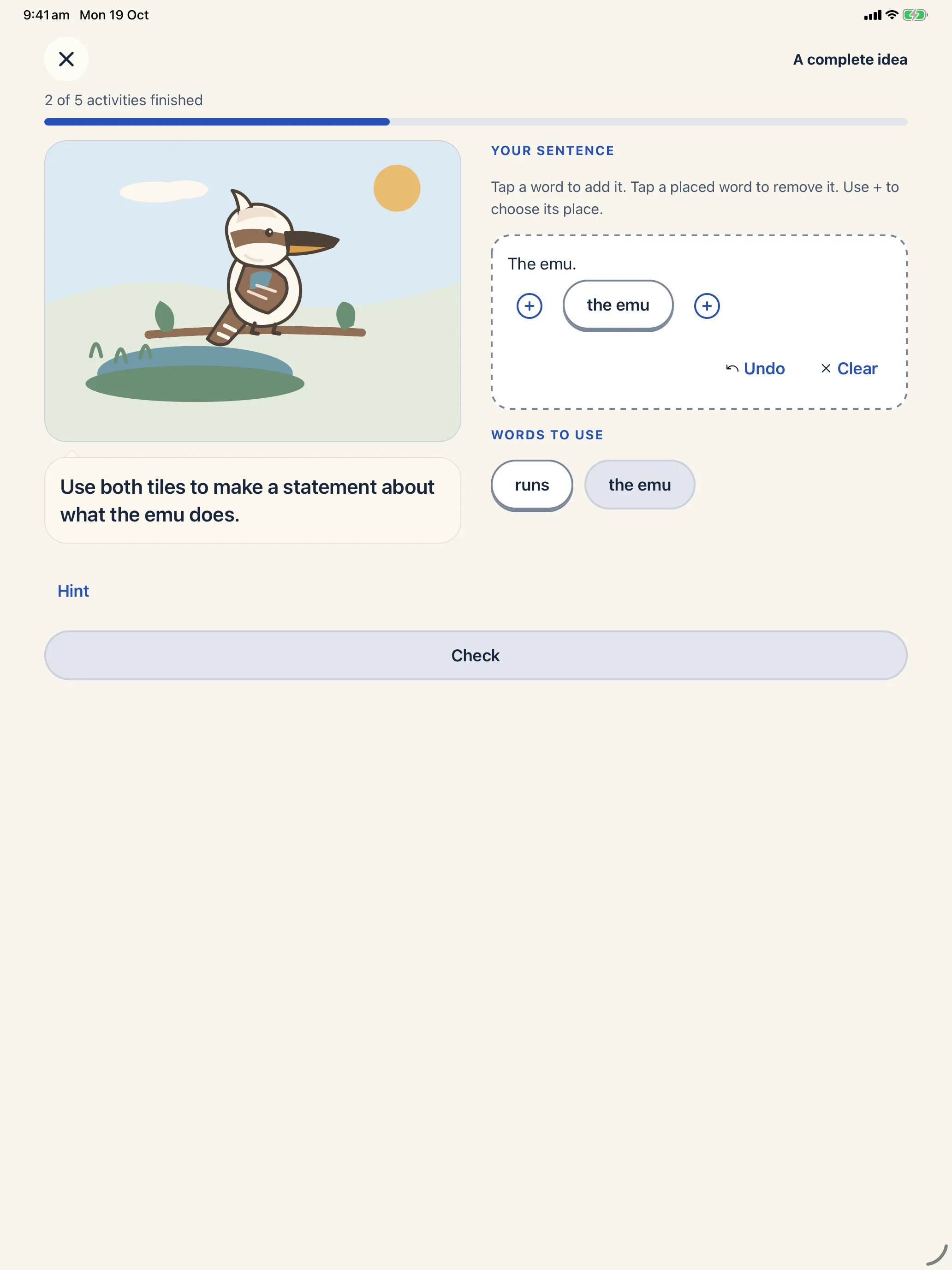
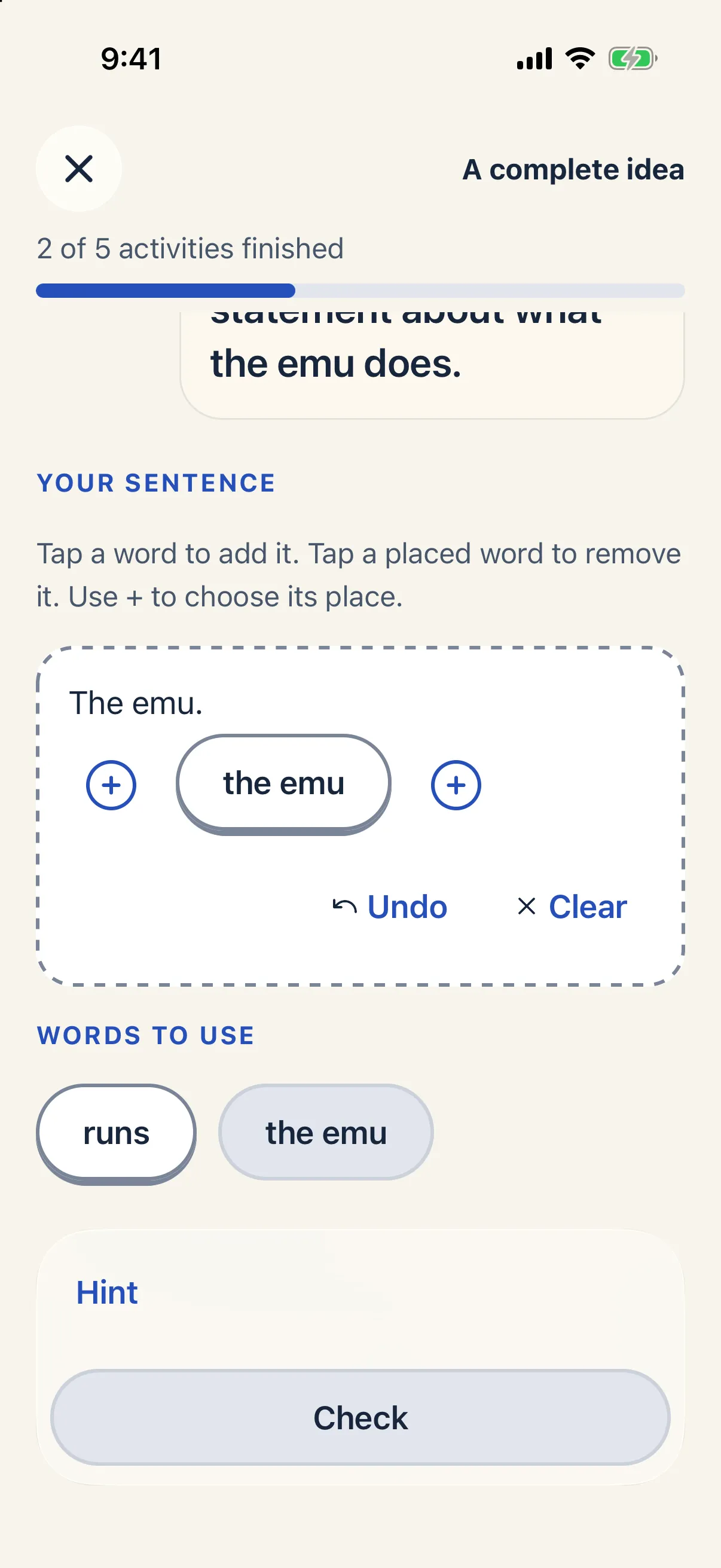
Use both tiles to make a statement about what the emu does.

The emu runs.

Words to use

Matched the task

That works

The emu is who we mean. Runs tells what it does.

In Tilebird, The emu runs has been checked: Matched the task. That works. The emu is who we mean. Runs tells what it does.
The same activity in Tilebird, Lesson 1 on iPhone.

How a lesson goes.

Every lesson has the same four parts, so children know what comes next. There's no timer anywhere.

  1. A worked example

    The kookaburra shows a sentence before and after.The possum. becomes The possum climbs.

  2. Five short activities

    Build a sentence from tiles, or choose the one that works. Hints are there if they're stuck.

  3. A sentence of their own

    Said to a grown-up or written on paper. It's never scored, and it can be skipped.

  4. Finish:Finish

On iPad, too.

The same lessons, buddies and Parents area on the bigger screen.

Tilebird on iPad: an activity with the word tiles runs and the emu, and a Check button.

Kept on the device.

  • No accounts, ads, analytics or tracking.

    There's nothing to sign up for, and no advertising, analytics, crash-reporting or tracking software in the app.

  • Nothing is sent to Kovus.

    Practice is saved on the iPhone or iPad, and Tilebird has no server of its own. Apple's device backups can include the app's data; the privacy policy explains how.

  • Recording is off until you turn it on.

    With it on, a child can record their own sentence at the end of a lesson, up to 30 seconds, and play it back. A recording stays on the device and is never uploaded.

  • The internet is for the App Store.

    Tilebird goes online to load the price, buy, restore and check the Starter Course, and to open the privacy and support pages from Parents.

Sixteen lessons, four units.

The Starter Course runs from one complete idea to joining two with and, but and so. Lessons are written in Australian English.

  1. Complete ideas

    Who or what, and what happens.

    1. Lesson 1: A complete ideaFree
    2. Lesson 2: Who and what happens
    3. Lesson 3: How something is
    4. Lesson 4: Keep the meaning
  2. Capitals and full stops

    Start and end a statement.

    1. Lesson 5: Start a statement
    2. Lesson 6: End a statement
    3. Lesson 7: Check both ends
    4. Lesson 8: Use the pattern again
  3. Add a detail

    Help someone picture it.

    1. Lesson 9: Describe the thing
    2. Lesson 10: Choose a useful detail
    3. Lesson 11: Keep the event
    4. Lesson 12: Help someone picture it
  4. Join two ideas

    And, but and so.

    1. Lesson 13: Join with and
    2. Lesson 14: Show a contrast
    3. Lesson 15: Show a result
    4. Lesson 16: Choose the connection

Sentences from the Starter Course

  • The emu runs.
  • The wren sings.
  • The rain falls.
  • The ferry waits.
  • The path bends.
  • The soup is hot.
  • The puppy runs.
  • The rain is heavy.
  • Tom carries the box.
  • The path is muddy.

Complete statements from the Starter Course.

Lesson 1 is free.

The other 15 lessons open with one purchase, the Starter Course Unlock. It's a one-time purchase, with no subscription, and it covers every learner on the device.

Coming soon to the App Store

Free
Lesson 1, A complete idea: a worked example, five short activities and a sentence of their own.
With the Unlock
Lessons 2 to 16, for up to six learners on that iPhone or iPad.
Before you buy
The App Store shows the price. A grown-up answers a maths question before each Unlock tap, and Restore purchases sits on the same page in Parents.

Questions from grown-ups.

Who is Tilebird for?

Young readers who are starting to write their own sentences, with a grown-up close by for the parts that need one. The lessons are written in Australian English.

What happens in a lesson?

A worked example first, then five short activities: building a sentence from word tiles, or choosing the one that works. Each lesson ends with a sentence of the child's own, said to a grown-up or written on paper. There's no timer.

What does it cost?

Lesson 1 is free. The Starter Course Unlock opens the other 15 lessons for every learner on the device. It's a one-time purchase with no subscription, and the App Store shows the price before you buy.

What does Tilebird collect?

There are no accounts, ads, analytics or tracking. Practice is saved on the device and none of it is sent to Kovus. Recording is off until a grown-up turns it on, and a recording never leaves the device. Apple's iCloud or computer backups can include the app's other data, depending on the device's settings.

The privacy policy has the detail.

When does Tilebird use the internet?

Only for the App Store (loading the price, buying, restoring and checking the Starter Course) and for opening the privacy and support pages from Parents. Those steps need a connection.

Can brothers and sisters share it?

Yes. Up to six learners can share one iPhone or iPad, each with their own buddy and their own practice. One Unlock covers all of them on that device.

Does Tilebird read aloud?

Not in version 1.0. Practice comes with five short sound effects, and a light vibration on iPhone. A grown-up can turn them off in Parents.

Which devices does it run on?

iPhone and iPad. There's no Android version.

When can we download it?

Tilebird isn't on the App Store yet. When it is, every "Coming soon" on this site becomes a link straight to it.

Can I use it with a class?

Tilebird is built for one household's iPhone or iPad, with up to six learners. It has no class accounts or teacher dashboard.

Something else? Get help or email josh@kovus.dev.